
The Invisible Security Leak: Is Your Team Using "Shadow IT" to Share Sensitive Files?
Published on 11.03.2026
In modern business, "speed" often trumps "security." When a legal team needs to send a larger contract or an engineering firm needs to share CAD files, they don't wait for IT approval. They use what’s fast: WeTransfer, Dropbox, or Google Drive.
This is the definition of Shadow IT; using unauthorized software to move company data. While these tools are convenient, they create a massive compliance hole. Your data leaves your controlled environment and sits on a third-party server, often in a different country, governed by a TOS you didn't sign.
For organizations running on AWS, there is a better way. Below, we compare S3ndless against the industry giants to see how they stack up on residency, security, and cost.
S3ndless vs. The Giants: A Feature-by-Feature Comparison
When you move your file sharing to S3ndless, you aren't just changing tools; you're changing who owns the "keys" to your data. Here is how the features stack up:
📍 100% In-Account Data Residency
This ensures your files never leave your AWS environment. You choose the region; you keep the data.
S3ndless: ✅ (Stays in your S3 Bucket)
WeTransfer / Dropbox: ❌ (Stored on their managed infrastructure)
🔐 Zero Vendor Data Access
Can the people who built the software see your files? In a SaaS model, the answer is technically "yes." With S3ndless, it's a hard "no."
S3ndless: ✅ (Vendor has 0 access to your AWS account)
WeTransfer / Dropbox: ❌ (Data is accessible by their systems/admins)
📈 Flat-Fee Annual Pricing
Most services charge a "user tax"—the more people you have, the more you pay. We believe in flat, predictable costs.
S3ndless: ✅ ($180/year flat fee)
WeTransfer / Dropbox: ❌ (Expensive per-user/per-month subscriptions)
🛡️ Native AWS Security & Logging
Auditors love transparency. By using native services, every action is logged where your security team can actually see it.
S3ndless: ✅ (Uses your IAM, KMS, and CloudWatch)
WeTransfer / Dropbox: ❌ (Opaque, third-party logging)
🏗️ Infrastructure Ownership
If the provider goes down or changes their terms, what happens to your workflow?
S3ndless: ✅ (You own the stack; it runs as long as your AWS account does)
WeTransfer / Dropbox: ❌ (You are a tenant on their platform)
🎨 Custom Branding & Domains
Your download links should look like they come from you, not a third-party service.
S3ndless: ✅ (Full control over CSS, logos, and custom domains)
WeTransfer / Dropbox: ❌ (Limited branding; often requires "Enterprise" tiers)
Why "Data Residency" is the Real Dealbreaker
- When you use a SaaS file-sharing service, you are essentially "renting" a corner of their hard drive. You might be able to select a "data region," but you still don't own the infrastructure.
- With S3ndless, you aren't renting anything. You are deploying a serverless portal onto your own AWS "land."
- If your compliance policy says "Data must stay in eu-central-1," it stays there.
- If your auditor asks for access logs, you pull them from your own Amazon CloudWatch or S3 Access Logs, not a third-party dashboard.
Killing Shadow IT with a Better Internal Tool
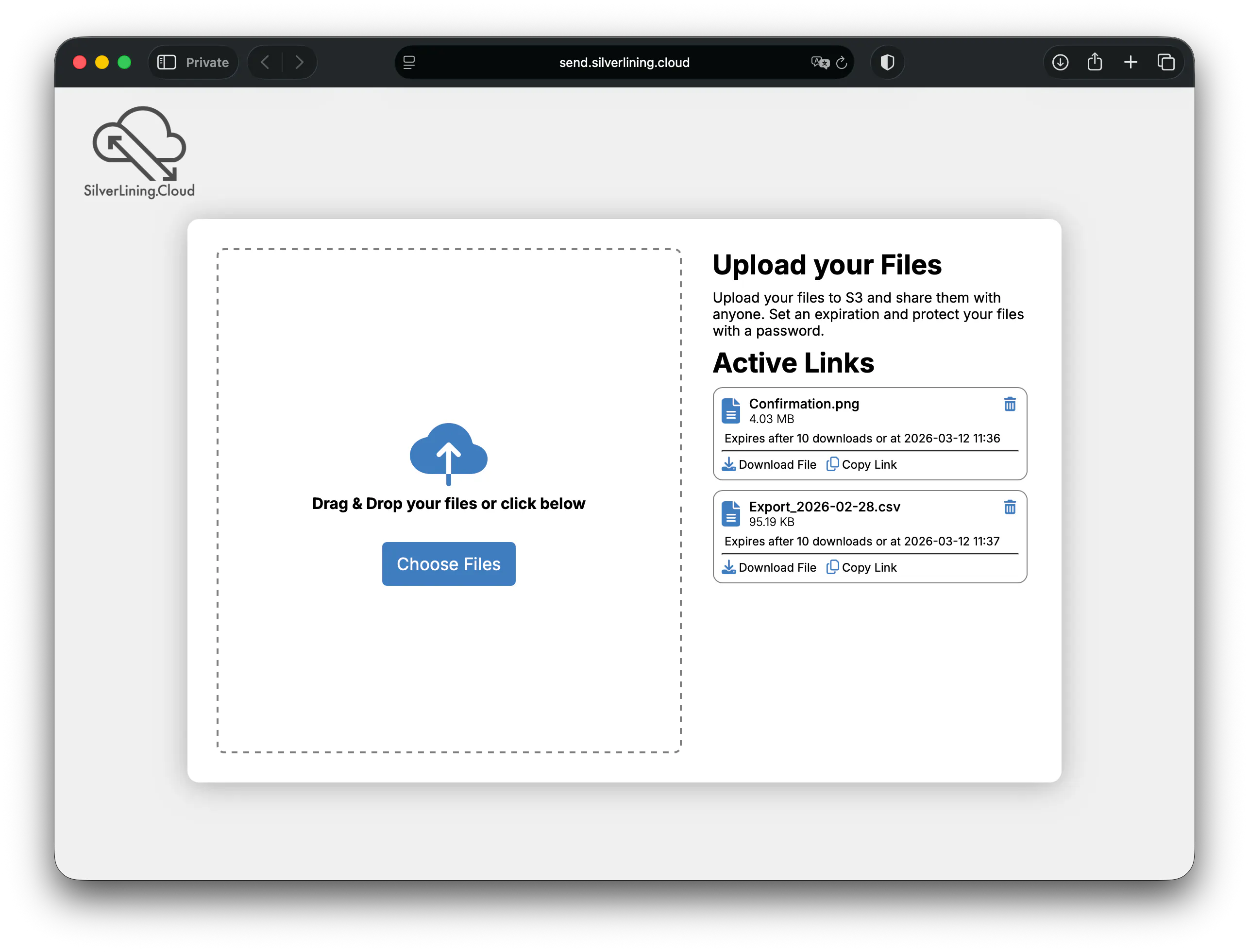
Employees use external tools because internal tools are usually clunky. S3ndless solves this by providing a "SaaS-like" experience; drag-and-drop uploads, expiring links, and password protection; but keeps it behind your own company domain (e.g., https://send.silverlining.cloud).
When you provide a branded, secure, and fast internal alternative, the temptation to use unauthorized personal accounts disappears.
Stop exporting your data to third-party clouds. Keep it in your own by deploying aws3.link/S3ndless.